Customer feedback loop
Give customers a private way to flag issues.
Customers can report wrong prices, missing items, outdated details, or service concerns from the public menu, Official Business Page, QR, or direct link. Owners review the feedback privately and update the approved source when needed.
Issue reported from the public view
A customer flags a wrong price or outdated detail. The owner reviews it before anything changes publicly.
How feedback becomes useful
A correction path from customer view to owner source.
The workflow stays practical: make feedback easy to send, keep review private, and route corrections back to the approved menu or business page.
Step 1
Feedback starts where customers already look.
Add feedback access from the public menu, Official Business Page, feedback QR, or direct link so customers do not need to find a phone number or send screenshots.
QR scan point
A feedback QR can sit near the counter, exit, table, or takeaway material.
Direct link
Share a feedback link when you want a customer to report the issue privately.
Official page action
Feedback stays connected to the same public business surface customers use.
Step 2
Customers can flag the exact issue.
The form is built for useful reports: rating, message, source, and optional contact details where settings allow.
Menu issue
A customer can explain what looked incorrect in the public menu.
Service concern
Operational concerns can still reach the owner privately for follow-up.
Owner-safe form
The feedback path is controlled by store and menu settings, not public guessing.
Step 3
Feedback lands in the owner inbox.
Owners can review new feedback, mark it handled, and keep attention on the items that need action.
Private inbox
Feedback is reviewed on the owner side instead of being published automatically.
Phone-ready review
Owners can check feedback from the mobile owner dashboard when they are away from a desktop.
Controlled access
Authenticated owner routes and roles protect the feedback workflow.
Step 4
The approved source gets corrected.
When feedback reveals a real issue, owners correct the menu or business detail once and keep public surfaces aligned from that source.
Menu update
Fix the item, price, section, or detail from the source that publishes the menu.
Handled state
Mark feedback resolved after the owner has checked it.
Public confidence
Customers keep returning to the current approved version instead of old screenshots or comments.
Correction loop
Customers can report issues, while owners keep control.
Feedback is useful only when it helps correct the approved source. These captures show the public report path and the private owner review surface.
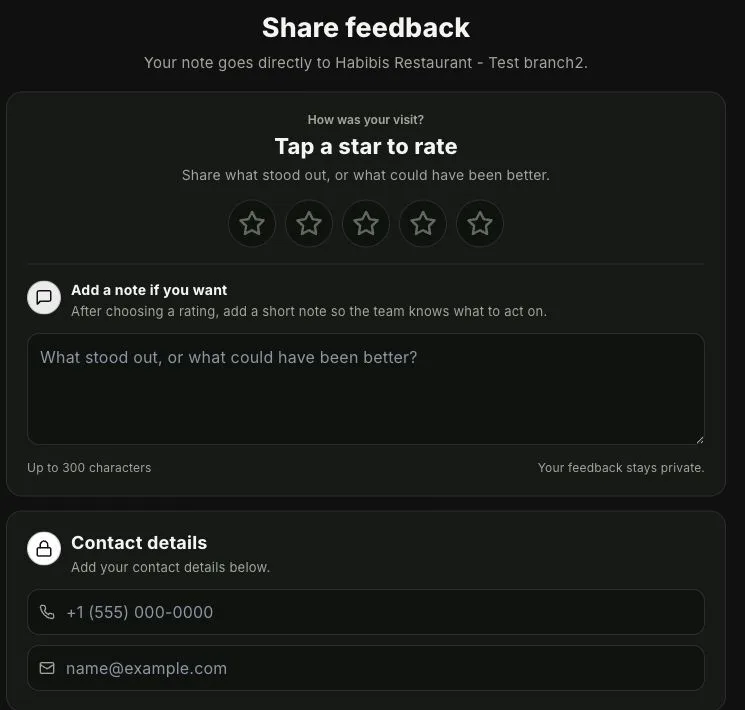
Customers flag the issue from the public side
A customer can report wrong prices, missing items, outdated details, or other menu issues without making the report public.
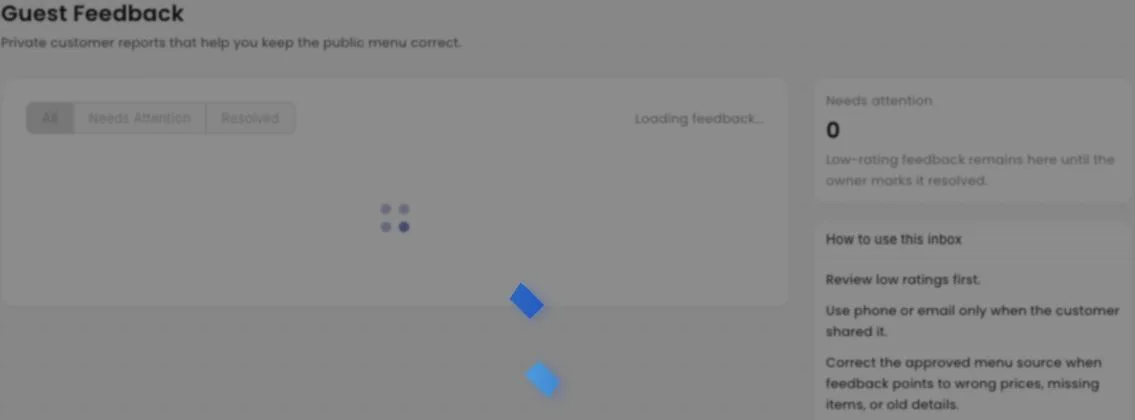
The owner reviews feedback privately
The owner inbox keeps the report, status, and source context together before anything changes on the public menu.
Where it fits
Feedback supports public truth.
The feature is strongest when it is framed as a correction loop, not a reputation or analytics product.
Customer-facing entry points
Feedback can be attached to the surfaces where customers already interact with the business.
Owner-side control
Feedback stays reviewable, status-driven, and connected to Business Health without adding daily reporting work.
Trust boundary
Private feedback, owner control, public accuracy.
This is not a review-management promise. It is a quiet correction path for customer-reported issues.
Private by design
Feedback goes to the owner side for review instead of becoming public marketing content automatically.
Useful issue types
Wrong prices, missing items, outdated details, service concerns, and other customer-reported issues can be handled from one place.
Operational signal
Business Health can surface when guest feedback needs attention without turning the owner dashboard into a reporting product.
Source correction
The best outcome is simple: owner reviews the issue and updates the same approved source customers use.
Public correction path
Let customers tell you when something looks wrong.
Start from your current menu. MenuList prepares the public version, feedback paths, and owner controls around one approved source.